Lint panel and the checks it runs
The lint reads a piece as it looks at 1× and lists the faults it can find by rule: shading that skips rungs or steps through colours that aren't neighbours, rungs too wide, specks, stray half blocks, pixel noise, lone glints, broken and dotted lines, glyphs in their own background, flat areas, the trailing black and blank rows that IRC drops, glyphs an .ans can't save, glyphs that clients count or order differently, and bold, italic or underline that draws nothing. The editor shows the list in the Lint dock; blockwright-cli lint prints it.
The lint finds what a rule can find. It doesn't judge composition, light or legibility, and a clean result doesn't mean a piece is finished.
The Lint dock
Open it from Window > Lint. It starts on the right, tabbed with the IRC View dock.
At the top a list picks the ramps the lint checks:
| Choice | What it checks |
|---|---|
| All named ramps | Every named ramp, and the craft pairs are allowed (see Ramps and craft pairs). This is the default |
A ramp by name (fire, sunset, ice, grass, steel, skin, sea, toxic, violet, wood) |
That ramp only, without the craft pairs |
Below it the findings are listed, one row each, in four columns:
| Column | Holds |
|---|---|
| Cell | The cell the finding is at, x,y, counted from 0 at the top left |
| Kind | The finding's kind, as named in The checks |
| Ramp | The ramp it was found under, or - for noise and the checks that use no ramp |
| Message | What is wrong. Hover over it to read a message too long for the column |
Click a row, or select it and press Enter, and the cell cursor goes to that cell and the canvas takes the keyboard focus, scrolled to show it.
Under the list a summary gives the count by kind, the canvas's pixel noise and whether iCE colours are on, in the same words as the CLI's summary line (below). The dock lists at most 1000 findings; past that the summary adds "The first 1000 are listed."
The dock lints what the canvas shows: every visible layer merged, with the document's iCE setting, for the document's target (see The IRC target). It lints again 250 ms after an edit, a file opened, a change to the document's format (iCE colours, letter spacing, SAUCE) or a change of target, and only while it is shown; a dock hidden behind the IRC View tab waits until it is brought forward. While the list is out of date, "Linting…" shows under it once half a second has passed, until the new list is in.
The dock never reports flat: that check needs a box around the subject, and only the CLI takes one.
blockwright-cli lint
blockwright-cli lint [--ramp R]... [--box x0,y0,x1,y1] [--target ansi|irc] [--json] <in>
<in> is an .ans, .xb or .bin file, or a project, which is linted as its visible layers merged. iCE colours are the file's own. --encoding says how an .ans is read, as for every command that reads one (see blockwright-cli).
| Option | What it does |
|---|---|
--ramp R |
Check this ramp: a name (fire, sunset, ice, grass, steel, skin, sea, toxic, violet, wood) or palette indices 0-15 from dark to light, such as 0,8,7,15. Give it more than once for several. Without it every named ramp is checked and the craft pairs are allowed; with it they aren't |
--box x0,y0,x1,y1 |
The subject's box, corners inclusive. Only findings that touch it are reported, and the flat check runs inside it. A box past the canvas's right or bottom edge is cut to the canvas |
--target ansi|irc |
Lint for an .ans or for IRC. Without it a project is linted for its own target, and a flat file for ANSI. See The IRC target |
--json |
Print the findings as JSON instead of text |
The text output is one line per finding, then the summary:
11,2 speckle steel cell 11,2: a speck, lighter than every neighbour
1 finding (1 speckle), noise 0.0000, iCE on
Each line holds the cell, the kind, the ramp (- for none) and the message. Findings are sorted by row, then column, then kind; the same finding under two ramps is listed once, under the first. The summary counts the kinds in the order The checks lists them. A piece with nothing to report prints:
clean, noise 0.0000, iCE on
A note is printed like a finding, with note: before its message, but on its own it leaves the piece clean. The one note is ans-loss, under the IRC target: what an .ans save would lose of a piece that is fine for IRC. A snowman under --target irc:
0,0 ans-loss - note: 1 cell holds a glyph a CP437 .ans saves as '?' (fine for IRC)
clean, 1 note (1 ans-loss), noise 0.0000, iCE on
The summary counts the findings by kind, then the notes by kind. In the Lint dock a note's row is in italics.
With --json the same finding reads:
{"findings":[{"kind":"speckle","severity":"warning","ramp":"steel","x":11,"y":2,"x2":11,"y2":2,"message":"cell 11,2: a speck, lighter than every neighbour"}],"noise":0.0000,"ice":true}
x2,y2 is the far corner of what the finding covers (the whole canvas for one-glyph and noise), or the other cell of a wide rung, a rung skip or a flag (see width-varies); for a single cell it is the cell again. severity is "warning" for a finding and "note" for a note. ramp is null for noise and the checks that use no ramp. A piece with nothing to report gives {"findings":[],"noise":0.0000,"ice":true}. A piece with only notes is clean, but its notes are still in the list, each with "severity":"note"; the snowman under --target irc gives:
{"findings":[{"kind":"ans-loss","severity":"note","ramp":null,"x":0,"y":0,"x2":0,"y2":0,"message":"1 cell holds a glyph a CP437 .ans saves as '?' (fine for IRC)"}],"noise":0.0000,"ice":true}
So an empty list means there are no notes either. To tell whether a piece is clean, read the exit status, or look for a finding whose severity is "warning".
The exit status is 0 when the piece is clean, notes or none, and 4 when there is a finding other than a note. A bad --ramp, or a --box that isn't four numbers from 0, is a usage error, status 2: the CLI says what is wrong and then prints its usage text.
$ blockwright-cli lint --ramp nope clean.ans
blockwright-cli: --ramp takes a ramp name (fire, sunset, ice, grass, steel, skin, sea, toxic, violet, wood) or palette indices 0-15 dark to light, not 'nope'
usage: blockwright-cli info <file> | convert [--allow-lossy] <in> <out>
…
$ blockwright-cli lint --box -1,0,3,3 clean.ans
blockwright-cli: --box takes x0,y0,x1,y1 (cells from 0, corners included), not '-1,0,3,3'
usage: blockwright-cli info <file> | convert [--allow-lossy] <in> <out>
…
A box that starts off the canvas is status 1:
$ blockwright-cli lint --box 30,30,40,40 clean.ans
blockwright-cli: the box 30,30,40,40 is off the 24x6 canvas
See blockwright-cli for the other commands.
Ramps and craft pairs
A ramp is a list of palette colours from dark to light. The named ramps:
| Ramp | Colours, dark to light |
|---|---|
fire |
black, red, light red, yellow, white |
sunset |
black, blue, magenta, light magenta, light red, yellow |
ice |
black, blue, light blue, light cyan, white |
grass |
black, green, light green, yellow |
steel |
black, dark grey, grey, white |
skin |
black, red, brown, light red, yellow |
sea |
black, blue, cyan, light cyan |
toxic |
black, green, light green, light cyan, white |
violet |
black, magenta, light magenta, white |
wood |
black, red, brown, yellow |
Between two neighbours on a ramp, a dark A and a light B, the shading ladder has five rungs: A, then B░A, B▒A and B▓A (the shade in B on A), then B. A shade can be written either way round (B▓A shows as A░B), and the lint reads it as the rung it shows. Each solid colour of a ramp is a rung and each neighbour pair adds three shades, so steel's ladder runs from black (rung 0) through dark grey (4) and grey (8) to white (12). Only the shade rungs are measured for width (see wide-rung). A cell is on a ramp's ladder when it shows one of the ramp's colours flat (a space's background, a full block's foreground, a block or shade with both colours the same) or a ░▒▓ of two neighbours. Text, half blocks and blinking cells are off the ladder.
This canvas is clean: steel's ladder from dark grey to white, every shade rung no more than three cells wide.
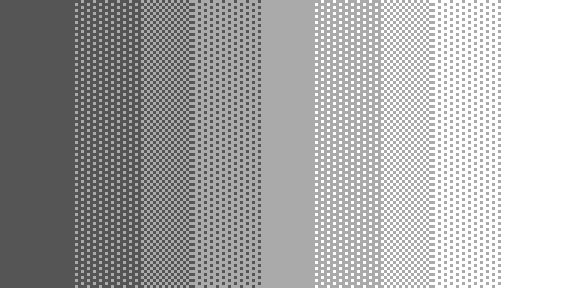
$ blockwright-cli lint clean.ans
clean, noise 0.0000, iCE on
The craft pairs are steps shading often takes between colours that aren't neighbours on any named ramp: any colour but black or white with black, and these 21 pairs:
blue–light blue, light blue–white, grey–dark grey, grey–white, red–light red, light red–yellow, red–magenta, brown–light red, grey–light red, green–light green, yellow–white, magenta–light blue, cyan–light blue, cyan–grey, magenta–dark grey, cyan–light cyan, red–yellow, brown–yellow, dark grey–light green, red–dark grey, green–dark grey.
Linting with every named ramp allows them, so a shade between them isn't a fault. Naming a ramp (with --ramp or the dock's list) checks that ramp alone, strictly. This canvas shades red to yellow through ▒, a craft pair:

$ blockwright-cli lint craft-pair.ans
clean, noise 0.0000, iCE on
Under fire alone, where red and yellow aren't neighbours (light red is between them), every shaded cell is a fault:
$ blockwright-cli lint --ramp fire craft-pair.ans
…
15,5 non-neighbour-shade fire cell 15,5: ▒ of 14 on 4, colours no ramp linted has as neighbours
48 findings (48 non-neighbour-shade), noise 0.0000, iCE on
The checks
There are two families. The ladder checks read each ramp's ladder, and the ramp column names the ramp; noise is one of them but is judged once for the whole canvas under no ramp, so its ramp column is -. The craft checks use no ramp; the last six of them, from no-cp437 to wasted-format, are about the glyphs and formatting a piece's cells hold rather than how it is drawn. Each section shows a canvas drawn to have that fault and the lint's output for it; those six show their messages instead.
non-neighbour-shade
A ░▒▓ of two colours on a ramp that aren't neighbours on it, when no ramp linted has them as neighbours and they aren't a craft pair. The message gives the shade, its foreground and its background by palette index.

$ blockwright-cli lint non-neighbour-shade.ans
10,2 non-neighbour-shade sunset cell 10,2: ▒ of 14 on 1, colours no ramp linted has as neighbours
11,2 non-neighbour-shade sunset cell 11,2: ▒ of 14 on 1, colours no ramp linted has as neighbours
12,2 non-neighbour-shade sunset cell 12,2: ▒ of 14 on 1, colours no ramp linted has as neighbours
3 findings (3 non-neighbour-shade), noise 0.0000, iCE on
Yellow on blue skips three of sunset's colours. Fix: step through the colours between, one neighbour pair at a time (blue to magenta to light magenta …), or use a ramp that has the two as neighbours.
wide-rung
A shade rung (░▒▓) of a gradient more than 3 cells wide. Only a run of one shade with a lower rung at one end and a higher one at the other is measured. Its width is the run along the gradient, or the longest run the other way if that is shorter, so a band only has to be narrow in one direction. A solid rung is never measured, however wide: steel's ladder with a band of solid grey six cells wide in the middle is clean.
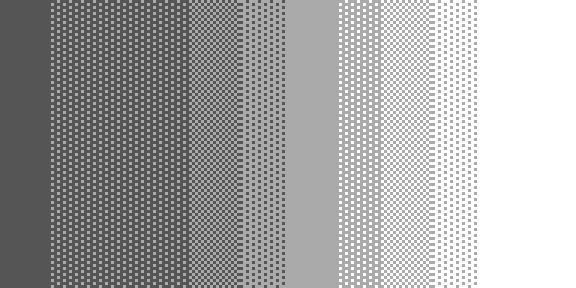
$ blockwright-cli lint wide-rung.ans
2,0 wide-rung steel cell 2,0: a rung 6 cells wide (at most 3)
2,1 wide-rung steel cell 2,1: a rung 6 cells wide (at most 3)
2,2 wide-rung steel cell 2,2: a rung 6 cells wide (at most 3)
2,3 wide-rung steel cell 2,3: a rung 6 cells wide (at most 3)
2,4 wide-rung steel cell 2,4: a rung 6 cells wide (at most 3)
2,5 wide-rung steel cell 2,5: a rung 6 cells wide (at most 3)
6 findings (6 wide-rung), noise 0.0000, iCE on
Fix: narrow the band, or add rungs so the gradient takes more steps over the same distance. A flat area that isn't part of a gradient (a sky, a fill) isn't a rung and isn't flagged.
rung-skip
A jump of more than one rung where three or more levels climb or fall together: a gradient that leaves out its shades. An outline turning back, two planes meeting, and black against anything aren't skips.

$ blockwright-cli lint rung-skip.ans
7,0 rung-skip steel cell 7,0: rung 4 next to rung 8 at cell 8,0 (more than one rung apart)
15,0 rung-skip steel cell 15,0: rung 8 next to rung 12 at cell 16,0 (more than one rung apart)
7,1 rung-skip steel cell 7,1: rung 4 next to rung 8 at cell 8,1 (more than one rung apart)
15,1 rung-skip steel cell 15,1: rung 8 next to rung 12 at cell 16,1 (more than one rung apart)
7,2 rung-skip steel cell 7,2: rung 4 next to rung 8 at cell 8,2 (more than one rung apart)
15,2 rung-skip steel cell 15,2: rung 8 next to rung 12 at cell 16,2 (more than one rung apart)
6 findings (6 rung-skip), noise 0.0000, iCE on
Fix: put the missing ░▒▓ rungs between the two colours, as in the clean ladder above.
speckle
A cell with at least three ladder neighbours that is lighter or darker than all of them. Black, a ramp's top colour (a glint) and dithered cells are never specks.

$ blockwright-cli lint speckle.ans
11,2 speckle steel cell 11,2: a speck, lighter than every neighbour
1 finding (1 speckle), noise 0.0000, iCE on
Fix: take the cell back to its neighbours' rung, or grow it into a shape that belongs to the form.
fallback-speck
A half block (▀ or ▄) in two colours, cut into shading, whose half facing the shading shows a colour the shading holds but doesn't show. It is what is left when a shape is cut into a shaded area and a cut cell falls back to a half block in the shade's hidden colour.
Each half is judged against the cell it faces, above or below it. That cell counts when it is on the ramp's ladder and isn't black, which is ink rather than shading; a solid ladder colour counts as well as ░, ▒ and ▓. The cell's run is the row of identical half blocks it belongs to, and the cells just past the run's two ends decide which rungs the half is judged against:
- When an end is the rung the half faces, that rung alone.
- Otherwise, when both ends are the same rung of the ladder, that rung alone, though the half doesn't face it.
- Otherwise the rung the half faces and the rungs either side of it, less any more than one rung from an end that is on the ladder. An end at the canvas's edge (the box's, with
--box), in black or off the ladder takes nothing away. When nothing is left, the half isn't judged.
A judged half has fallen when it shows none of those rungs' colours and one of them could fall back to it. A solid rung shows its colour and has nothing to fall back to. ░ shows its background, ▓ its foreground and ▒ both, and each can fall back to either of its colours. With iCE off, the dark counterparts of a shade's colours can be fallen back to too, and count as shown when the half block's other half is bright. A half that isn't judged has to go on into the cell it faces, as a shape's edge goes on into the shape. The cell is flagged when it has a judged half, every judged half has fallen, and a ░, ▒ or ▓ of the ladder is at one of the run's ends or in a cell the half block faces.
So against ░ in light red on red, with an end of the run against that ░, only ░ counts: a light red half is flagged, and neither a red half nor a half in a colour the shade doesn't hold (green, say) is. Run the same cut to the canvas's edges, or end it against black, and solid red and ▒ count too; ▒ shows light red, so the cut is clean. A light red half facing solid red is flagged when the run ends against ░ on both sides, as ░ is then the rung it is judged against, and isn't when it ends against black on both sides, as no shade is near.
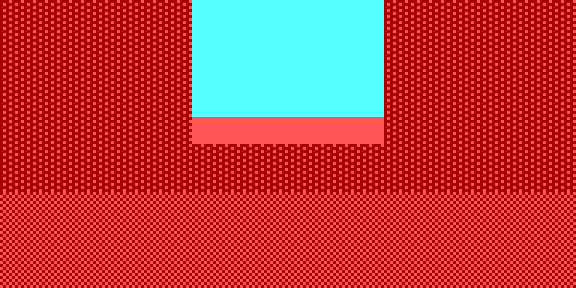
$ blockwright-cli lint fallback-speck.ans
8,2 fallback-speck fire cell 8,2: a fallback speck, a half block in a colour the shading beside it doesn't show but falls back to where a pixel cuts it
9,2 fallback-speck fire cell 9,2: a fallback speck, a half block in a colour the shading beside it doesn't show but falls back to where a pixel cuts it
…
15,2 fallback-speck fire cell 15,2: a fallback speck, a half block in a colour the shading beside it doesn't show but falls back to where a pixel cuts it
8 findings (8 fallback-speck), noise 0.0000, iCE on
The light red bottom halves face ░ in light red on red, which shows red, and the run of them ends against that ░ on both sides. Light red is the shade's other colour: one it holds and falls back to where a pixel cuts it, but doesn't show. With iCE off, a half in the dark counterpart of one of the shade's colours can be flagged too, when its other half is dark.
Fix: give the half facing the shade the colour the shade shows (red here), or carry the shade on into the cell.
one-glyph
Shading that uses only one of ░▒▓, in four shade cells or more. It is reported once for the whole canvas, at its top left.
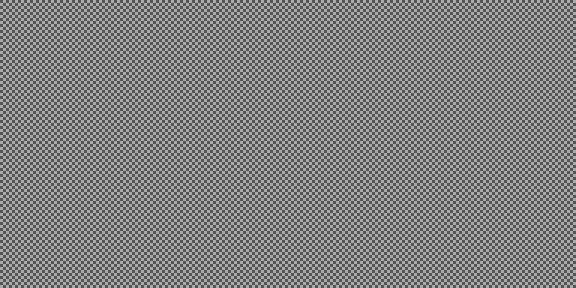
$ blockwright-cli lint one-glyph.ans
0,0 one-glyph steel the shading uses one glyph only
1 finding (1 one-glyph), noise 0.0000, iCE on
Fix: shade through the ladder's rungs. A single shade is a texture, not a gradient.
noise
The canvas's pixel noise is over 0.02. Spaces, full blocks and half blocks are two pixels each, a top and a bottom; shade and text cells aren't pixels, and nor are the black spaces at the end of a row. Noise is the share of drawn pixels, not black, that are unlike all four of their neighbours, counted over the pixels whose four neighbours are all pixels. It is judged once for the whole canvas and reported at its top left, and the value is in every summary, clean or not. Shade speckle doesn't count here: speckle finds it.

$ blockwright-cli lint noise.ans
0,0 noise - pixel noise 0.123 is over 0.020: bands, not speckle
1 finding (1 noise), noise 0.1227, iCE on
Fix: shade in bands that follow the form. Dither should step its density one way over many rows, not scatter.
A pattern of single pixels drawn on purpose counts too. In a row of marquee bulbs, say, a yellow ▀ on black in every other column between two red bands, each bulb's top pixel is unlike all four of its neighbours (the black on either side and below it, the red above), so it counts as a lonely pixel. Only a bulb on the piece's outer edge, or beside the black spaces a row ends with (which the check trims off, as the file leaves them out), is left out, since a neighbour is missing. A piece with a few such rows can go over 0.02 and get this finding. That is expected: the check counts pixels and can't tell a pattern from speckle. If the pattern is what you meant, leave it as it is.
lone-pixel
One pixel of a half block that is lighter on a named ramp than the colour all around it, when all eight neighbouring pixels are that colour and it isn't black: a highlight a single pixel big.

$ blockwright-cli lint lone-pixel.ans
11,2 lone-pixel - a lone glint: one top pixel of 12 on 4 reads as a stray; a highlight wants a 2-5 px cluster
1 finding (1 lone-pixel), noise 0.0045, iCE on
Fix: make the highlight a cluster of two to five pixels, or take it out.
gap
A one-cell break in a line one cell thick, the gap showing what is on either side of the line. The line has to run on at least two cells each side of the break. A dashed pattern (breaks at a regular interval) isn't a gap, and nor is a break in a line along the canvas's edge, where there is no telling how thick the line is. The message says whether the line runs across a row or down a column.

$ blockwright-cli lint gap.ans
12,2 gap - a one-cell break in a line across row 2
1 finding (1 gap), noise 0.0000, iCE on
Fix: close the gap, or make the break wide enough to read as two lines.
merge
A text glyph whose foreground is the colour of the background it shows on, so it can't be seen.

$ blockwright-cli lint merge.ans
10,2 merge - the glyph is in its own background colour 1: it can't be seen
1 finding (1 merge), noise 0.0000, iCE on
Fix: give the glyph a colour that stands apart from its background.
dotted-diagonal
A diagonal line one pixel thick, at least four pixels long, whose pixels touch only at their corners. At 1× it reads as a row of dots.

$ blockwright-cli lint dotted-diagonal.ans
4,0 dotted-diagonal - a 1 px diagonal of 10 pixels in colour 14 touching only at corners renders dotted; join it 4-connected
1 finding (1 dotted-diagonal), noise 0.0169, iCE on
Fix: join each pixel to the next along a side (4-connected), so the line steps as a staircase, or make it thicker.
flat
Only with --box. An area inside the box of one look (one glyph in one pair of colours, not black), found in windows of 4×2 cells and reported when it covers at least 48 cells. The message gives its size and the box round it.
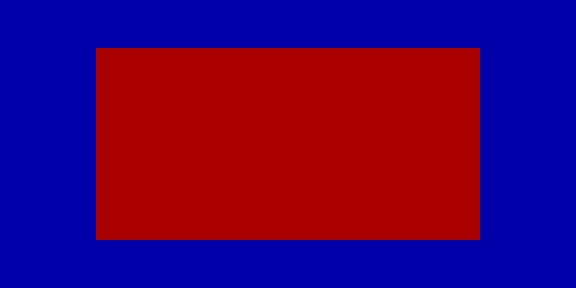
$ blockwright-cli lint flat.ans
clean, noise 0.0000, iCE on
$ blockwright-cli lint --box 0,0,23,5 flat.ans
4,1 flat - a flat area of one look, 64 cells in 16x4: model the form or give it texture
1 finding (1 flat), noise 0.0000, iCE on
Fix: model the form with a ramp, or texture it. A flat fill is fine in a graphic piece and in a background: give --box round the subject, not the whole piece.
trailing-black
A row whose art stops short of the right edge, followed by black to the edge, beside a row that reaches it. IRC drops trailing black spaces, so the client shows its own background there; a row of black alone shows in the client's background whole.
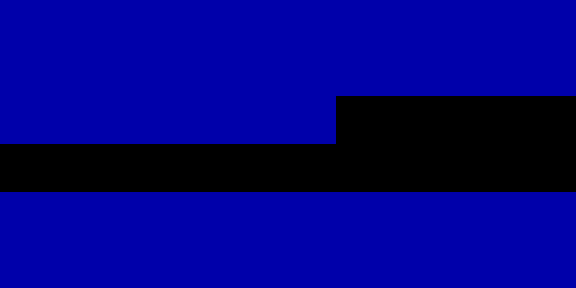
$ blockwright-cli lint trailing-black.ans
14,2 trailing-black - cells 14-23 of row 2 are black to the edge, beside rows that reach it: IRC drops them
0,3 trailing-black - row 3 is all black, beside rows that reach the edge: IRC shows it in the client's background
2 findings (2 trailing-black), noise 0.0000, iCE on
Fix: end the row with something that isn't black, or export with View > IRC > Pad Lines (no shortcut) on, which keeps the trailing black and writes a row's last cell, when it is a glyph of one code point that shows black alone and isn't bold, italic or underlined (not a letter with a combining mark, nor the right cell of a wide glyph that IRC text writes whole), as a █ with a black foreground and no background code of its own, which a client can't trim (Making rows fit).
blank-edge-rows
Blank rows above or below the art. IRC trims them when the piece is pasted.
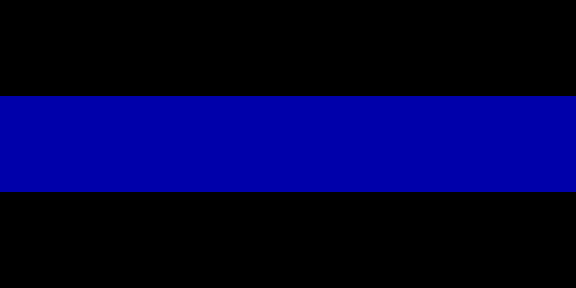
$ blockwright-cli lint blank-edge-rows.ans
0,0 blank-edge-rows - rows 0-1 above the art are blank: IRC trims them (a margin needs a black-on-black block)
0,4 blank-edge-rows - rows 4-5 below the art are blank: IRC trims them (a margin needs a black-on-black block)
2 findings (2 blank-edge-rows), noise 0.0000, iCE on
Fix: crop the canvas to the art, or keep the margin with a black-on-black block in each row. View > IRC > Pad Lines (no shortcut) keeps the blank rows on export instead, and writes a row's last cell, when it is a glyph of one code point that shows black alone and isn't bold, italic or underlined (not a letter with a combining mark, nor the right cell of a wide glyph that IRC text writes whole), as a █ with a black foreground (Making rows fit).
no-cp437
Only under the ANSI target. A glyph a CP437 .ans can't save as it is. The message names the glyph's code points and the glyph, and says what an .ans saves in its place:
| The glyph | The message, for example |
|---|---|
| Has no CP437 code | U+2603 ☃ has no CP437 code: an .ans saves it as '?' |
| Has a CP437 code whose byte the ANSI reader acts on: ○ (0x09, TAB), ◙ (0x0A, LF), ♪ (0x0D, CR), → (0x1A, SUB), ← (0x1B, ESC) | U+25CB ○ is CP437 0x09, which .ans reads as TAB: an .ans saves it as '?' (XBIN and BIN keep it) |
| Takes two cells | U+6F22 漢 takes two cells: an .ans saves it as '?' and a space |
| Is a letter with combining marks that CP437 has no glyph for | U+0071 U+0301 q U+0301 has no CP437 code: an .ans saves it as q, dropping U+0301 |
A letter and a mark that CP437 has as one glyph (e and U+0301 is é) is saved as that glyph and isn't flagged. A control or bidi code point is named by its code alone and never printed. A cell that holds a control character itself (below U+0020, or U+007F) isn't flagged.
The five glyphs whose byte the reader acts on are flagged like any other, and the lint exits 4. For a UTF-8 .ans holding ○◙♪→←:
$ blockwright-cli lint arrows.ans
0,0 no-cp437 - U+25CB ○ is CP437 0x09, which .ans reads as TAB: an .ans saves it as '?' (XBIN and BIN keep it)
1,0 no-cp437 - U+25D9 ◙ is CP437 0x0A, which .ans reads as LF: an .ans saves it as '?' (XBIN and BIN keep it)
2,0 no-cp437 - U+266A ♪ is CP437 0x0D, which .ans reads as CR: an .ans saves it as '?' (XBIN and BIN keep it)
3,0 no-cp437 - U+2192 → is CP437 0x1A, which .ans reads as SUB: an .ans saves it as '?' (XBIN and BIN keep it)
4,0 no-cp437 - U+2190 ← is CP437 0x1B, which .ans reads as ESC: an .ans saves it as '?' (XBIN and BIN keep it)
5 findings (5 no-cp437), noise 0.0000, iCE on
In the JSON each is a "severity":"warning". Under the IRC target the check is off, and the same cells are counted in one ans-loss note; with nothing else to report the piece is clean and the exit status is 0:
$ blockwright-cli lint --target irc arrows.ans
0,0 ans-loss - note: 5 cells hold glyphs a CP437 .ans saves as '?' (fine for IRC)
clean, 1 note (1 ans-loss), noise 0.0000, iCE on
See File formats for why an .ans can't keep those five.
Fix: draw it with CP437 glyphs, or keep the piece as a project, which holds any glyph. A piece made for IRC can take the IRC target instead.
width-varies
A glyph whose width a client or terminal may count differently, so that the rest of its line moves. It runs under both targets. The message names the glyph and gives each reason that applies:
- A code point that is two columns wide, or zero-width, only since a Unicode version after 9.0.0. A client with an older table draws it in one column, or gives it a column of its own.
- U+200D (zero width joiner) in the cell: a terminal that joins graphemes draws the glyph and the one after it as one, narrower than their cells.
- U+FE0F after a glyph one column wide: a terminal that joins graphemes draws it two columns wide, one more than its cell.
- A skin tone modifier (U+1F3FB to U+1F3FF): a terminal that joins graphemes draws it inside the emoji before it.
- Two regional indicators side by side make a flag. That is reported once, at the first of them, and
x2,y2is the second.
$ blockwright-cli lint --target irc heart.ans
0,0 width-varies - U+2764 U+FE0F ❤ U+FE0F: U+FE0F makes it two columns wide in a terminal that joins graphemes, one more than its cell
0,0 ans-loss - note: 1 cell holds a glyph a CP437 .ans saves as '?' (fine for IRC)
1 finding (1 width-varies), 1 note (1 ans-loss), noise 0.0000, iCE on
A newer emoji reads U+1F970 🥰: it takes two columns here, but only since a Unicode version after 9.0.0: a client on an older table may draw it in one.
Fix: use a glyph whose width doesn't vary, or take out the joiner, the U+FE0F or the modifier.
lone-mark
A zero-width code point, such as a combining mark, alone in a cell, which a terminal draws on the cell before it or not at all; or a glyph two columns wide with no continuation cell after it, which a terminal draws over the next cell too. It runs under both targets.
U+0301 is zero-width in a cell of its own: a terminal draws it on the cell before it, or not at all
Fix: put the mark in the cell of the glyph it belongs to, or take it out.
bidi-control
A bidi control (U+061C, U+200E, U+200F, U+202A to U+202E, U+2066 to U+2069) in a cell, alone or in a cluster. A UTF-8 .ans or IRC text writes it as it is, and a client that applies bidi reorders the rest of the line. It runs under both targets. A right-to-left override alone in a cell, under the IRC target, is a bidi control and a lone mark, and the note beside them doesn't make the piece clean:
$ blockwright-cli lint --target irc override.ans
0,0 lone-mark - U+202E is zero-width in a cell of its own: a terminal draws it on the cell before it, or not at all
0,0 bidi-control - U+202E is a bidi control: a UTF-8 .ans or IRC text writes it as it is, and a client that applies bidi (HexChat, mIRC) reorders the rest of the line
0,0 ans-loss - note: 1 cell holds a glyph a CP437 .ans saves as '?' (fine for IRC)
2 findings (1 lone-mark, 1 bidi-control), 1 note (1 ans-loss), noise 0.0000, iCE on
The exit status is 4.
Fix: take it out.
ans-loss
Only under the IRC target, and a note, not a fault: what an .ans save would lose of a piece that is fine for IRC. There is at most one note of each kind, at the first cell it counts:
| What is lost | The message |
|---|---|
Glyphs: the cells no-cp437 would flag under the ANSI target |
5 cells hold glyphs a CP437 .ans saves as '?' (fine for IRC) |
| Colours: cells in a colour other than the 16 | 1 cell is in a colour an .ans can't hold, saved as the nearest of the 16 (fine for IRC) |
| Formatting: cells with bold, italic or underline | 5 cells have bold, italic or underline, which an .ans leaves out (fine for IRC) |
A note leaves the piece clean: with notes alone the summary starts clean and the exit status is 0. In the JSON a note's severity is "note"; in the Lint dock its row is in italics. Nothing needs fixing for IRC; if the piece is to be saved as an .ans as well, lint it under the ANSI target.
wasted-format
Bold, italic or underline on a cell where it draws nothing, though IRC text still spends a byte on each toggle. An attribute is wasted when the cell draws the same pixels without it, at both glyph widths, 8 and 9 pixels: bold on a blank, a ▀ or a █, say, or underline on a █. Italic shears a block off its background, so italic on █ draws and isn't flagged. Only a glyph the VGA font has is judged. It runs under both targets, one finding a cell, naming the attributes wasted. The formatting comes from the Palette dock's B, I and U toggles, which the glyph brush and typing write under the IRC target.
For an IRC project whose first five cells are bold on a blank, underline on █, bold on ▀, bold on A and italic on █:
$ blockwright-cli lint formatted.bwp
0,0 ans-loss - note: 5 cells have bold, italic or underline, which an .ans leaves out (fine for IRC)
0,0 wasted-format - bold on a blank draws nothing and costs bytes in IRC text
1,0 wasted-format - underline on a full block draws nothing and costs bytes in IRC text
2,0 wasted-format - bold on ▀ draws nothing and costs bytes in IRC text
3 findings (3 wasted-format), 1 note (1 ans-loss), noise 0.0000, iCE on
In the JSON each is a "severity":"warning", and the exit status is 4.
Fix: turn the attribute off on those cells. Export writes the formatting a cell has, wasted or not.
The IRC target
A document is made for an .ans (the ANSI target) or for IRC. The editor sets it with Format > Target, a project keeps it (pack and unpack set it with --target), and lint --target overrides it; a flat file is linted for ANSI unless --target irc is given. Under the IRC target:
no-cp437is off, andans-lossnotes say what an.anssave would lose instead.- A ladder check at a cell in a colour other than the 16 judges it by the nearest of the 16, and the message ends
(an RGB cell, judged by the nearest of the 16). - Every other check runs as it does under ANSI.
Where the rules come from
The rules are the ones funkpower's pieces for the IRC library are held to. The ladder rules (rungs one to three cells wide, a ramp stepping between neighbours through ░ ▒ ▓ in order, no form shaded in one glyph) are the shading rules tutorials 04 and 05 teach. The craft checks are the faults a rule can find: no lone glint pixels, no fallback specks, no dotted 1 px diagonals, no large flat areas on the subject, and no blank rows or trailing black lost to the IRC trim. The flat check reports each area of one look that covers 48 cells or more, found with 4×2-cell windows at any offset; it doesn't give the share of the subject that is flat, though keeping that under 15% is a good bar. --box counts canvas rows from the top, blank rows included. The rest (every word read at 1×, one light direction, the squint test, nothing that reads as the wrong thing) needs a reader.
Describes Blockwright 0.1.0 (12ee9ef).